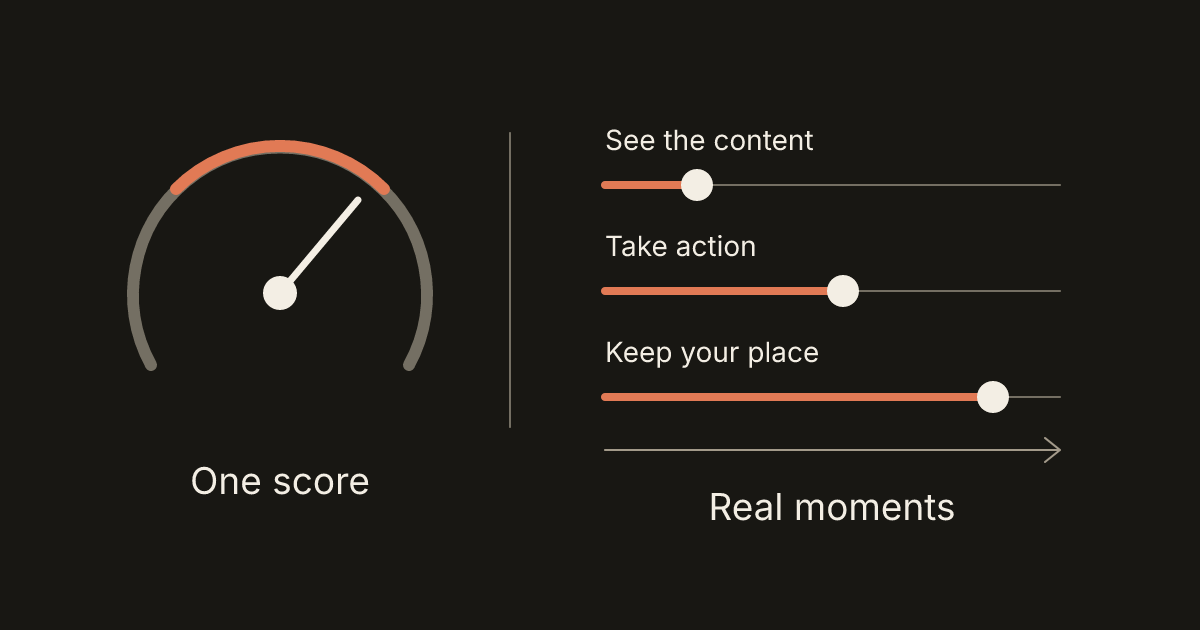
A website can show an encouraging speed score and still frustrate a customer. The first screen might appear quickly while the menu ignores a tap, the booking calendar arrives late, or a button moves just as someone selects it. Performance includes everything that happens while the visitor uses the site.
For a small business, a useful review starts with the task that matters: finding a service, requesting an estimate, or completing an appointment request. Measurements help identify the cause of a delay and confirm whether a change helped. They become much more useful when connected to that customer journey.
Read the two different kinds of evidence
PageSpeed Insights combines a controlled Lighthouse test with available measurements from real visitors. The controlled test is called lab data. It helps reproduce problems under stated device and network conditions. The real-world measurements are called field data, and reflect a range of actual visits. Google's PageSpeed Insights documentation explains why these results can differ.
The familiar Lighthouse performance score summarizes a simulated test. Record its conditions and underlying measurements, then compare repeated runs under similar conditions. A single high score does not establish that your customers have a good experience, and a small score change may reflect ordinary test variability.
In a hypothetical example, a contractor tests the homepage on an office laptop with a fast connection. A customer uses an older phone while comparing several providers. Their device, connection, and interaction with the estimate form can expose delays the office test missed. Both observations are useful evidence.
Know what the three Core Web Vitals mean
Google's current Core Web Vitals address loading, responsiveness, and visual stability. The recommended “good” thresholds are:
- Largest Contentful Paint, or LCP: 2.5 seconds or less. This measures when the largest eligible visible image or text block is rendered during loading.
- Interaction to Next Paint, or INP: 200 milliseconds or less. This measures responsiveness to interactions such as clicks, taps, and keyboard input.
- Cumulative Layout Shift, or CLS: 0.1 or less. This is a unitless measure of unexpected layout movement.
Evaluate these at the 75th percentile, separating mobile and desktop experiences. For an individual metric, that means at least 75% of measured experiences meet its threshold. Google's Web Vitals guidance recommends meeting all three targets.
Missing measurements need care. PageSpeed Insights can give a passing assessment using LCP and CLS when INP data is insufficient; that does not verify responsiveness. Its assessment rules describe this exception. Read the available values instead of relying entirely on a green label.
Understand the 28-day window and missing data
PageSpeed's field data comes from the Chrome User Experience Report, commonly called CrUX. In PageSpeed Insights, this data is updated daily and covers the preceding 28 days. After a launch or fix, the window still includes earlier visits, so the displayed result will not immediately describe only the new version. See the CrUX guide to PageSpeed Insights.
Check whether the report represents the exact URL or the whole origin, such as https://example.com. PageSpeed may fall back to origin-level data when the individual page lacks enough data. A healthy aggregate does not establish that one booking page is healthy.
CrUX also has eligibility requirements. It uses eligible Chrome experiences, and included pages and origins must be publicly discoverable and sufficiently popular. Google does not publish the exact minimum visitor count. A new or lightly visited business site may therefore have no field report; absence of data is not a performance verdict. The CrUX methodology explains these limits.
Test what happens after the first screen
Write down a short journey and carry it out on a real phone as well as in a browser test. Open the menu, read a service page, expand a question, use the form, and reach confirmation. Include third-party calendars or payment steps where they are part of the journey, using their test facilities when appropriate.
INP concerns the delay through the browser's next paint after an interaction. It does not measure the complete business transaction. A form can promptly show “Sending” while a server takes much longer to confirm receipt. Both the immediate response and the eventual outcome deserve attention. Google's INP explanation describes the metric's scope.
For a hypothetical salon, test whether selecting a date responds promptly, whether available appointments appear, and whether the final request completes without ambiguity. Record each delay separately. A developer can use an interaction trace to inspect work happening while the page is in use; a navigation-only score cannot answer every question about that journey.
Fix a measured cause before adding another plugin
When the main content appears late, ask which element determines LCP and what delayed it. A large hero photo, a slow initial server response, and an image discovered late require different fixes. Sensible image sizing and early loading of the important image can help; lazy-loading the LCP image can delay it. Google's LCP optimization guide explains how to distinguish these causes.
When buttons hesitate, inspect the work the browser is doing around the interaction. Unnecessary scripts and long blocks of JavaScript can keep it busy. Removing unused widgets, reducing interaction work, or breaking that work into smaller tasks may help, depending on the evidence. See Google's INP optimization guidance.
When content jumps, reserve the correct space for images, video, and embedded tools before they load. Test narrow screens as well as desktop layouts: a reserved area must suit the actual content. Google's CLS optimization guide covers these common causes.
For a hypothetical home-services site, replacing an unused social feed may be more valuable than changing the entire platform. Identify the widget's cost and business purpose before deciding. Keep useful functionality, measure the proposed change, and verify that the customer task still works.
Keep a small, useful performance record
Save the date, page, device conditions, symptoms, relevant measurements, and the change made. Retest the same journey after release, then revisit the rolling field data when enough new visits are represented. Compare like with like rather than mixing a mobile result with a desktop result.
If the site needs closer observation, ask about real-user monitoring that records performance timings and failures. Define what you need to learn first. Avoid collecting form contents or customer details merely to investigate speed. Keep data collection proportionate to the question.
A good performance brief describes the customer's difficulty and the evidence available. It should not promise a particular search position, sales increase, or permanent score. At Webq Pro, AI can assist investigation and implementation, while people choose the priorities and review the behavior. If your site feels slow or unreliable at an important step, tell us which page and action need attention. We can start with the experience you want to improve.