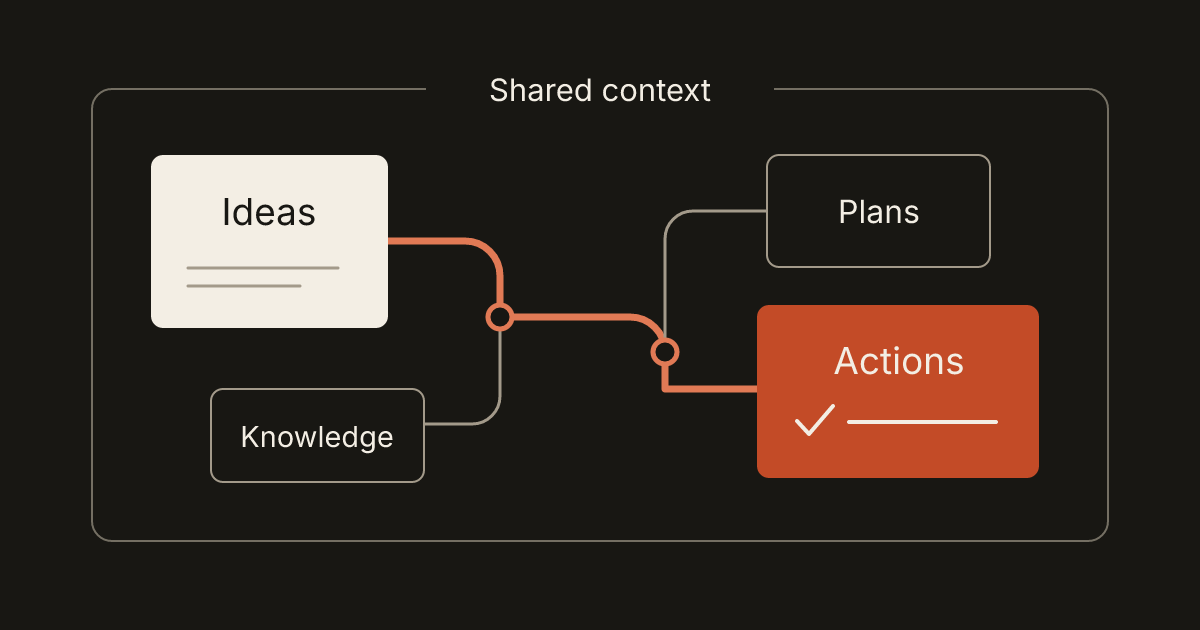
A business can have excellent tools and still spend much of the day rebuilding context. The task is in one place, the decision behind it is in a message, and the document everyone needs is attached to an old calendar event.
A connected workspace tries to reduce that reconstruction. Its value comes from relationships: opening a project should help someone find the relevant notes, commitments, files and next actions. Simply putting several feature menus in one application does not create those relationships.
For a small business considering a custom app or a new working system, the useful question is what information needs to stay connected as work changes.
Start with a real chain of work
Imagine a fictional event-planning business preparing a workshop. A conversation establishes the format. A note records the decision. Tasks cover venue confirmation and material preparation. The calendar holds the event time. A budget tracks the expected costs and later records the actual amounts.
Each tool has a different job, but the work belongs to the same event. If someone moves the date, they should be able to find the affected commitments. If a colleague takes over, they should be able to understand why a task exists without searching several unrelated inboxes.
Map that chain before choosing modules. Identify the places where people copy information, lose the latest version or ask the same question twice. Those are more useful design inputs than a wish list of every feature a workspace might contain.
Give important records a stable identity
A project can have a readable name and an underlying identity that does not change when the name changes. That distinction lets notes, files and tasks refer to the same project over time.
Without it, a rename may leave old labels scattered across the workspace. People cannot tell whether “Fall workshop,” “October workshop” and “Workshop launch” refer to the same work. The application should preserve the connection instead of relying on everyone to update every mention manually.
The W3C's Data on the Web Best Practices recommends persistent identifiers for published datasets and the things within them. For an internal business workspace, the practical design lesson is similar: give important records a dependable identity, and keep their relationships understandable when names or locations change.
You do not need to show technical identifiers everywhere. The interface can display a clear title while the system maintains the durable reference underneath.
Connect records without creating competing copies
Decide which part of the workspace owns each fact. The calendar may own an event's start time, while the task list owns whether equipment has been collected. A linked note can explain the plan without becoming a second calendar that requires separate updates.
This is where a design needs more than a universal “add link” button. Define what the link means. Is the task part of the project, merely related to it, or blocking its completion? Can the same document support several projects? Does changing the document affect every place that references it?
For the workshop example, attaching one current venue agreement to the event is different from copying that file into several tasks. The first preserves a shared reference. The second creates several objects that may become inconsistent. Either approach can be intentional, but the user should understand which one happened.
Keep each module good at its own job
A useful task view makes the next action, owner and status easy to find. A useful notes view supports writing and reading. A calendar explains time. Connecting them should not force every record into an identical form that fits none of those jobs well.
Shared conventions still help. Search, attachment handling, dates, navigation and undo should behave consistently where the actions are equivalent. A person should not have to relearn how to open a linked record whenever they move to another module.
The result can be a modular system with distinct tools and a coherent working experience. Scope the shared behavior explicitly; “consistent UI” is too broad to verify without examples.
Separate context from permission
Making information connected does not mean making it visible to everyone. A colleague helping with workshop logistics may need the task list and venue instructions without needing every business document.
Decide what a restricted link shows. It might display that a related document exists, or hide the reference entirely, depending on the situation. Search results, previews, exports and activity messages should respect the same access decision as the original record.
For implementation, permissions must be checked when the system retrieves or changes data. OWASP's authorization guidance calls for validating permissions on every request. A hidden navigation item alone does not establish that boundary. Ask the development team to demonstrate the experience from an account with limited access, including an attempt to open a direct link.
Plan for correction, archiving and deletion
Work changes. A task is completed by mistake, an event is canceled, or a project is archived after delivery. Define what happens to the connected records in each case.
Archiving a project might remove it from the active overview while retaining its notes and files. Deleting a record might leave a clear missing-reference message rather than silently erasing the surrounding history. Some actions need confirmation; ordinary reversible edits should remain easy to correct.
Test the consequences across modules. If a calendar event is deleted, does its preparation task disappear, remain open or require a decision? There is no universal answer. There should be an intentional one that matches the business's way of working.
Ask what an export actually preserves
An export button is a starting point. Find out whether the result includes readable content, attachments, dates, identifiers and the relationships that make the workspace useful.
A CSV of task titles may be easy to open but lose the connection to projects and notes. A backup file may preserve everything while requiring the original application to read it. These are different outputs serving different purposes.
SQLite, for example, documents a portable application file format. That can be useful for storing structured local data, but the presence of a database file does not automatically explain an application's schema, include external attachments or make another tool able to import the workspace.
Ask for a sample export and a short description of how to interpret it. Open several records, locate their attachments and follow a relationship. For a restore procedure, use a separate test destination so the only working copy remains safe.
Choose the smallest connected release
The first release could connect projects, notes and tasks while leaving specialist accounting or scheduling in an existing tool. Describe the links and boundaries clearly rather than promising to replace every system at once.
Use one representative project to evaluate the result. Can a colleague find the decision behind a task? Can an owner correct a mistake? Can someone retrieve the information outside the application? Those questions reveal more than counting modules.
If your team repeatedly rebuilds the same context, bring that workflow to a brief. Describe the records people use and where the connections break. A well-scoped workspace begins with those relationships, then adds the tools needed to support them.