A business owner usually hires a development team for an outcome: a website that explains the company, a booking flow that works, or an internal tool that makes daily work easier. The choice of coding assistant is secondary. What matters is whether someone understands the problem, makes sound decisions and takes responsibility for the result.
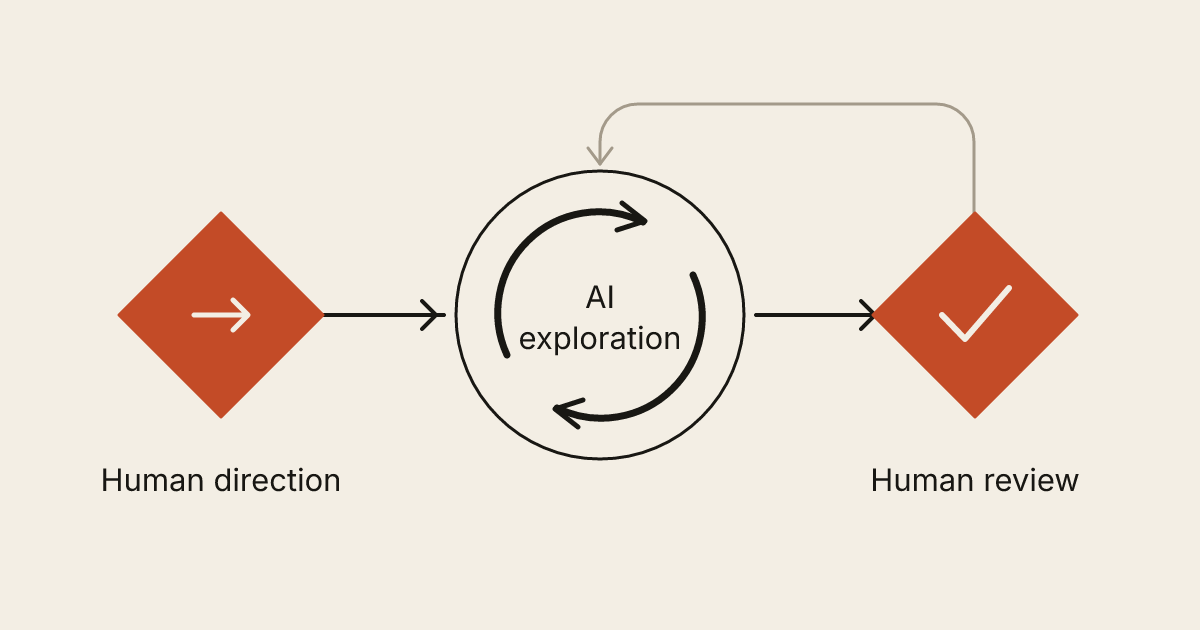
AI can participate in that work. It can help explore approaches, draft code, explain an unfamiliar system and identify things to test. Human-led development makes the division of responsibility explicit. People decide what the system should do, where its boundaries belong and what evidence is sufficient before it goes live.
Here is what that should look like from the client's side of the project.
Start with a decision the business actually needs
“Build an AI-powered portal” leaves most of the important choices open. A more useful brief describes a person, a task and a result.
Consider a fictional repair company. Customers currently call to ask whether an item is ready. The owner wants a status page. Before anyone generates a screen, the team needs to decide what customers can see, who updates the status, and what happens when work is delayed.
The first version might show an estimate, the approved work and a collection message. It might deliberately exclude payments or direct technician messaging. Those boundaries keep a small useful tool from becoming an undefined replacement for the whole business.
Write the acceptance conditions in ordinary language. A customer can view their own repair. They cannot view another customer's record by changing a link. A staff member can correct an accidental status change. An old collection message is not sent after a job has been reopened. These are requirements someone can check.
Make the human decisions visible
A project benefits from named responsibilities even when the team is small. Identify who approves the scope, who chooses the implementation, who reviews the result and who authorizes publication. One person may perform several roles, but none should disappear behind the phrase “the AI handled it.”
The owner brings business knowledge. A designer turns customer questions into a usable journey. A developer chooses how the information and actions work. Reviewers challenge assumptions and check the implementation. AI tools can assist those activities without becoming the accountable owner of them.
Ask to see decisions when they affect your business. A choice between a hosted scheduler and custom availability logic changes maintenance, account ownership and the edge cases someone must support. You should understand that tradeoff before it is buried in code.
Give the tools appropriate information and access
Useful context is not the same as unrestricted access. A developer can often investigate a problem with a synthetic example, an anonymized record or a description of the data structure. Real customer records should not be copied into a tool simply because doing so is convenient.
Before work starts, agree which tools may receive project material, which accounts they can use and who can grant additional access. Review the relevant provider's current data terms for the selected account and settings; a product name alone does not establish how every plan handles information.
For tools that can take actions, permissions matter as much as prompts. An assistant drafting a support response does not necessarily need permission to send it. A coding task does not automatically need production database access.
OWASP's prompt-injection guidance describes how external text can influence an AI system's behavior and recommends controls including limited privileges and human oversight for high-risk operations. In practical terms, the application must enforce the boundary; a written instruction to “be careful” is insufficient.
Review behavior, not the amount of generated code
A large change can look impressive while making the next release harder to maintain. Ask what changed, why it was necessary and how it was checked. A small improvement with a clear explanation is easier to assess than a long list of generated files.
Some checks are mechanical. The code should build, types should line up, and relevant automated tests should pass. Other checks require judgment: does the page explain the offer honestly, does an error preserve the customer's work, and can the owner operate the feature without calling the developer?
GitHub's responsible-use guidance for generated suggestions explicitly recommends reviewing, testing and validating them. A suggestion can be syntactically valid and still fail the business requirement or introduce a security problem.
For the repair portal, testing only the “ready for collection” screen misses the important boundaries. Test a customer with no open jobs, an expired invitation, a staff member without editing permission and a failed notification. The result should be understandable in each case.
Ask for evidence at the right level
You do not need to read every line of source code to review a project. You do need a demonstration that follows the actual journey and a clear account of what remains unverified.
Separate three kinds of evidence:
- Implementation checks: the build and appropriate tests passed for the proposed change.
- Experience checks: someone used the real screens, including mobile, keyboard access and ordinary errors.
- Release checks: the published version loads, receives the expected information and connects to the intended services.
A successful preview is not automatically proof that production email, payment or account permissions are configured correctly. Conversely, a working homepage does not establish that every private account boundary has been tested. Agree which checks belong to the scope and record any meaningful limitation.
Keep release and recovery understandable
Before publication, know which version is being released and who can restore the previous working state. If data structures change, recovery may involve a database backup as well as the application files. The plan should match the actual system.
Handoff should explain the ordinary tasks: changing content, checking failed requests, managing access and finding renewal information. It should also identify the source code and third-party accounts the business needs to retain. Our website ownership checklist covers those practical details.
AI involvement does not change the need for maintainable work. The person supporting the system later needs decisions, readable code and operating instructions, not just a transcript of how the first version was generated.
A useful question for your next project
Ask a prospective team: “Show me how you decide, review and release a small change.” Their answer should connect the client's requirement to a working result, name the people responsible and explain the checks without hiding behind a tool brand.
At Webq Pro, human-led AI development means people direct the work, review it and remain accountable for what ships. If you have a concrete workflow or website problem, describe it in a brief. Start with the outcome, the people involved and the conditions a useful first version must satisfy.